Topics help you organize semantically related entities into meaningful groups. By creating topics, you can build a clear topical structure that supports reporting, analysis, and content strategy within Entity Hub.
Use topics to answer questions like:
- What entities belong to this broader concept?
- How are my entities organized across themes or subject areas?
Pre-Requisites
Before creating topics, make sure the following are true:
- You have an active Entity Hub subscription
- The entities you want to group have already been optimized
Note: Only optimized entities can be grouped under topics.
How To: Create a Topic
In this section, you'll create a new topic and define what it represents.
Step 1: Add Topic
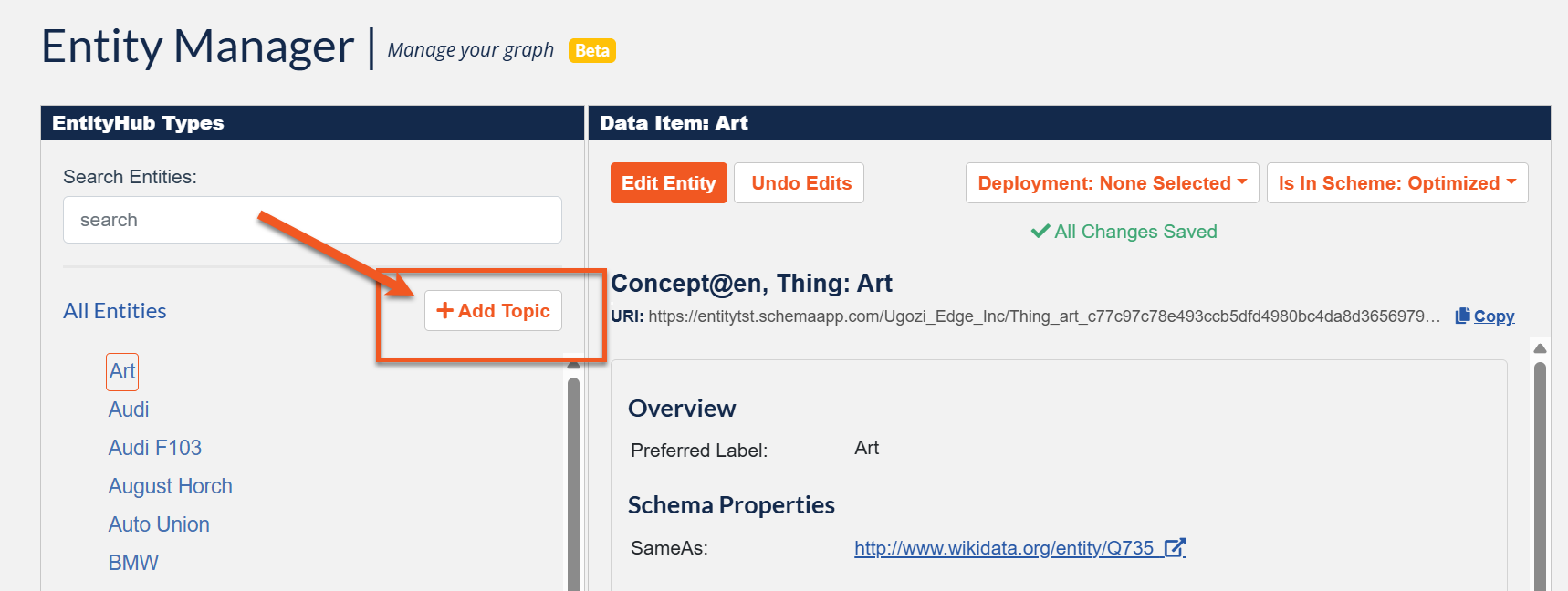
Navigate to the Entity Manager
- Click the + Add Topic button.
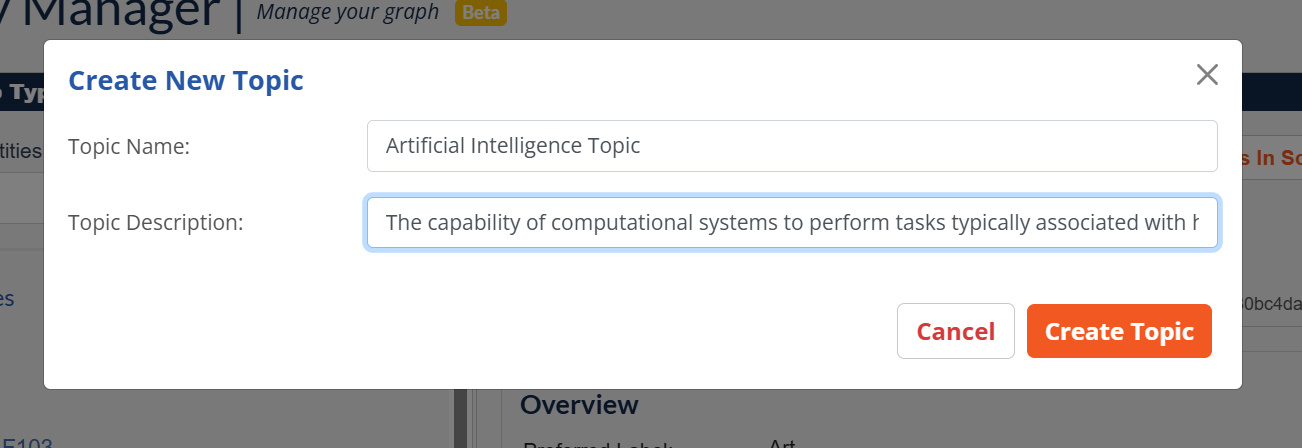
- Enter:
- Topic Name – A clear, human-readable label for the topic.
- Definition – A short description of what the topic represents.
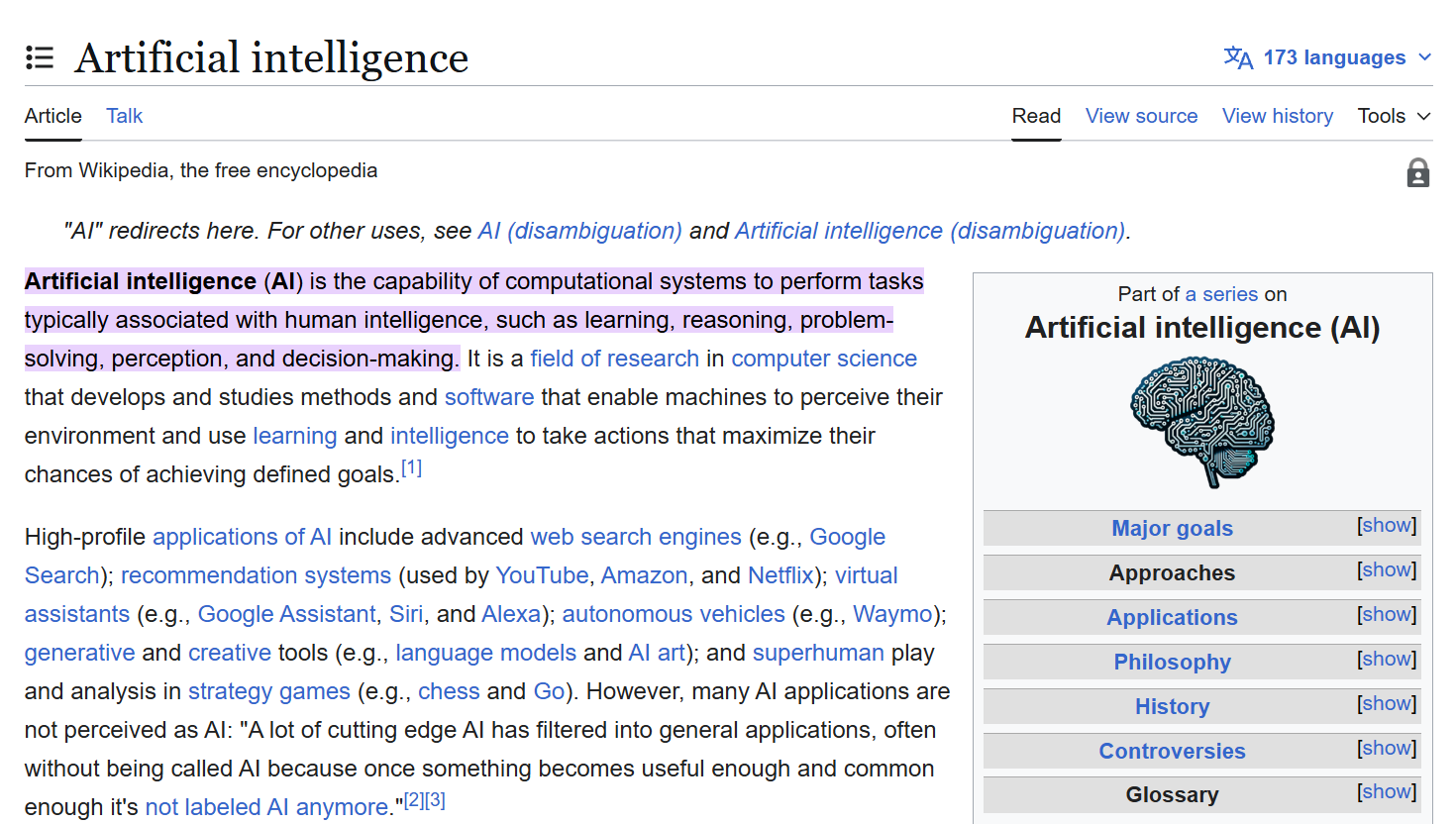
 Best practices for definitions:
Keep definitions to 1–2 sentences.
Use your organization’s internal glossary when possible to maintain consistency.
If no glossary exists, a definition from Wikipedia is a good starting point.
- Click Create Topic
Your topic is now created and ready for relationships to be added.
Step 2: Add Topic Relationships
Once a topic is created, you can connect it to other topics and entities to form a hierarchical structure.
Topic Properties Explained
You’ll see the following sections in your topic:
Overview
Displays the topic’s Preferred Label (name) and Definition.Topic Relationships
Used to organize topics and entities into a taxonomy.Has Broader
Connects this topic to a more general (parent) topic.Has Narrower
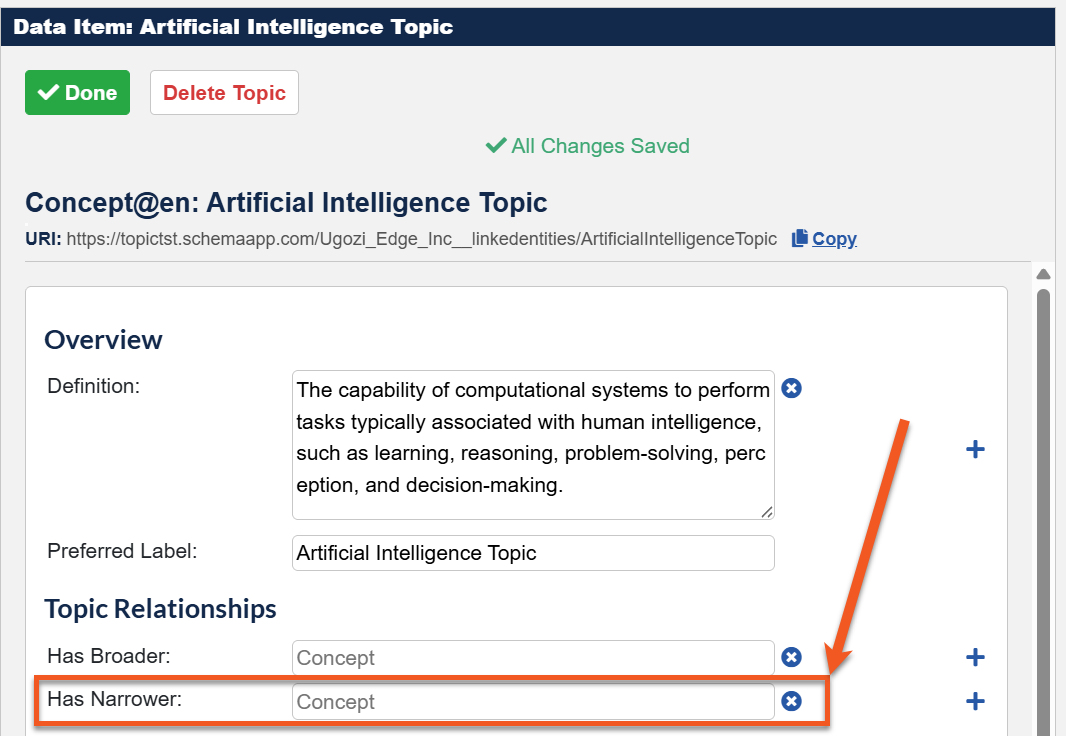
Connects this topic to more specific entities or subtopics (children).
Adding Entities to a Topic
To add entities under a topic:
Click Edit Topic.
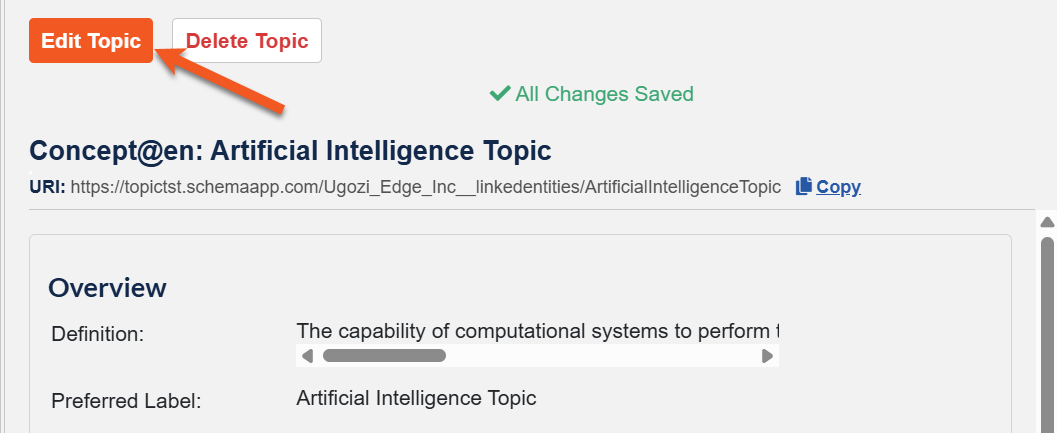
Click into the Has Narrower field.
Search for the name of the optimized entity you want to add, then select the entity from the list to associate it with the topic.
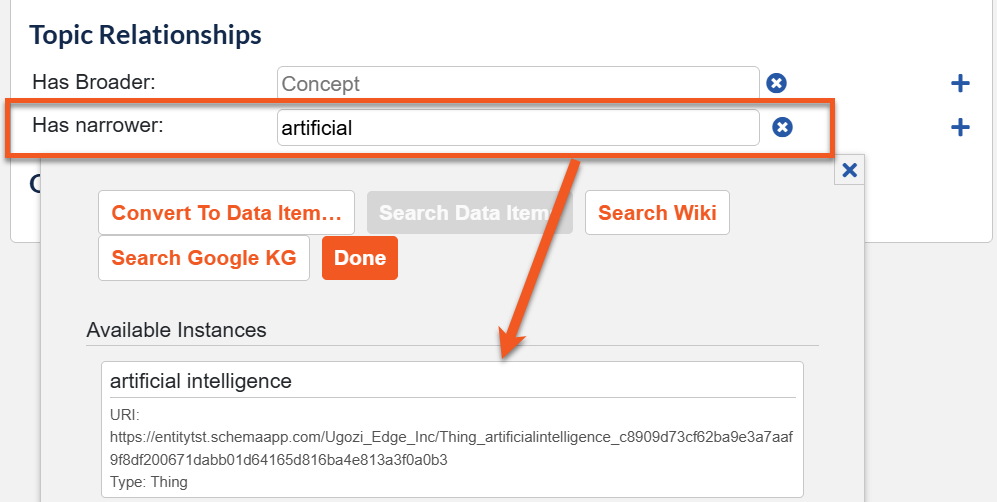
Click the + icon next to Has Narrower to add additional entities.

Repeat as needed until all relevant entities are associated with the topic. You'll see the changes reflected in the Entity Manager tree hierarchy.
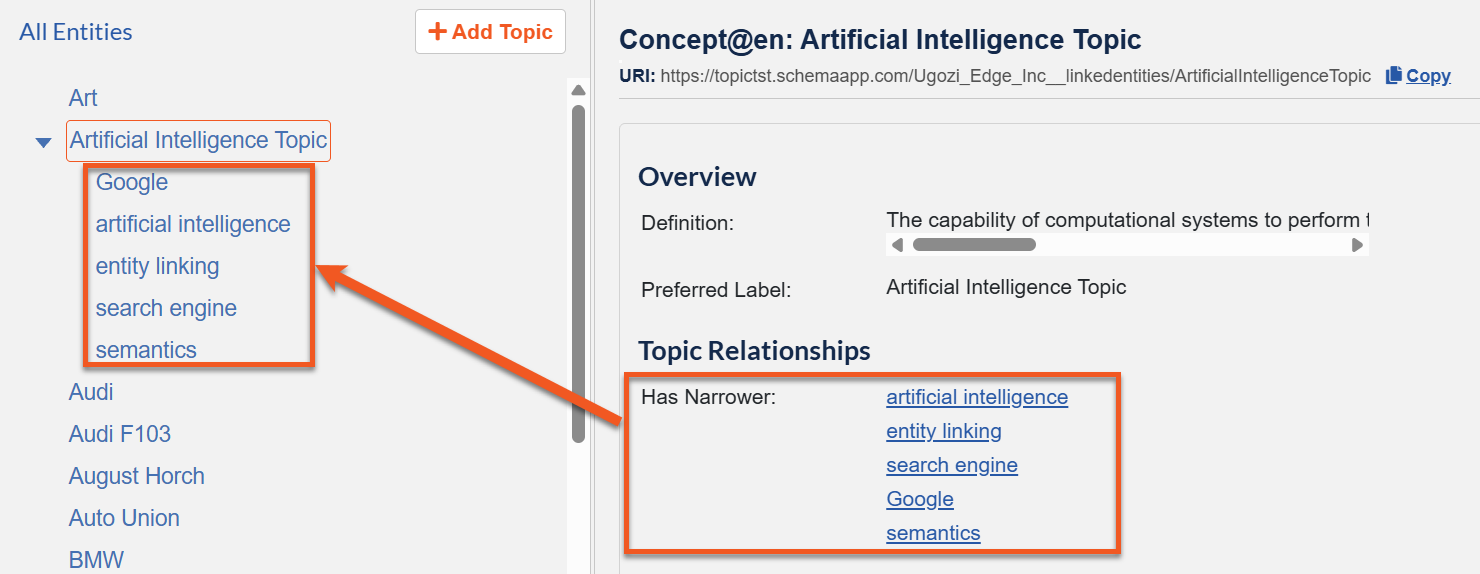
How To: Delete a Topic
This section explains how to remove a topic that is no longer needed.
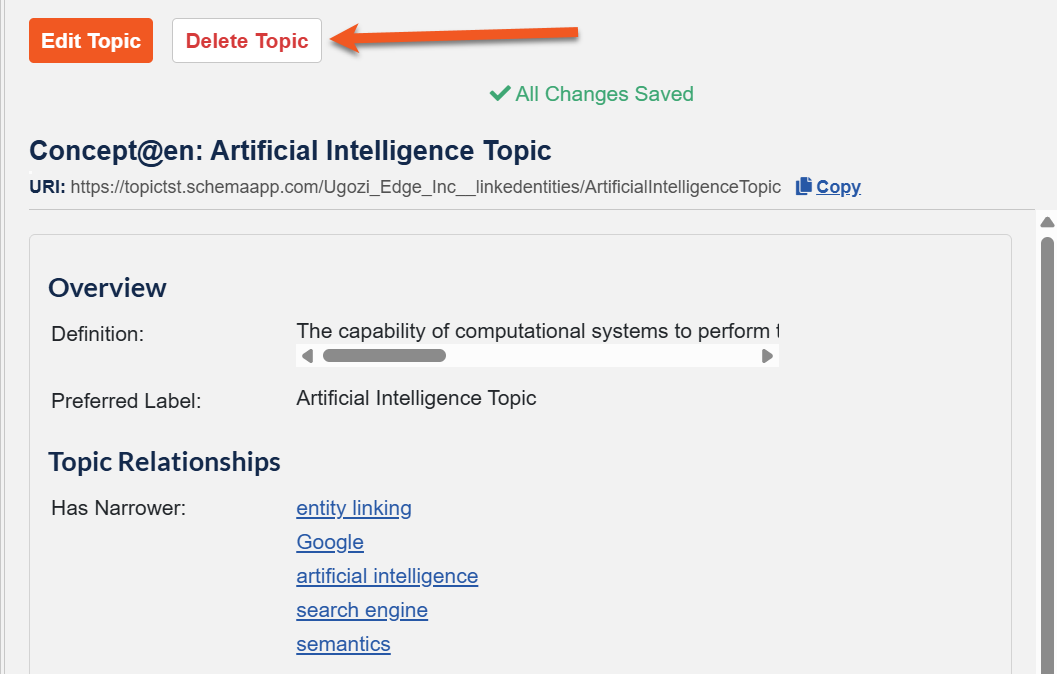
Click Edit Topic.
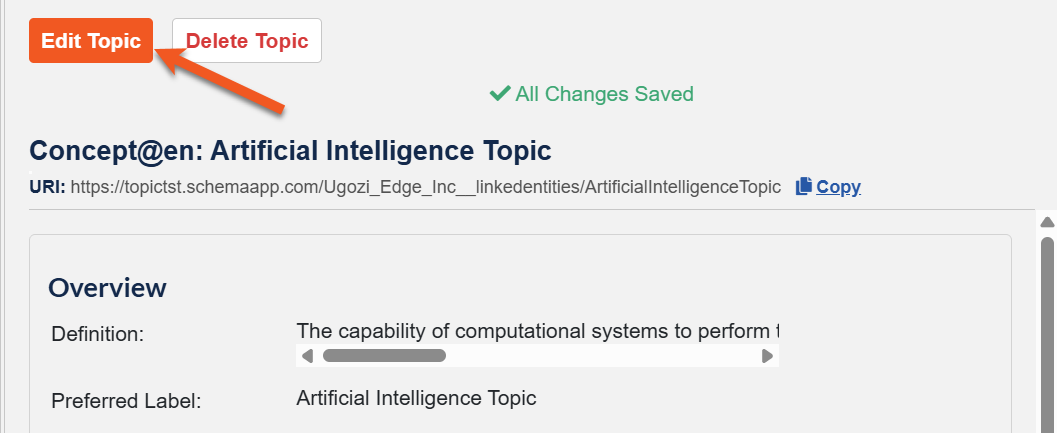
Click the Delete Topic button.
Confirm the deletion when prompted.
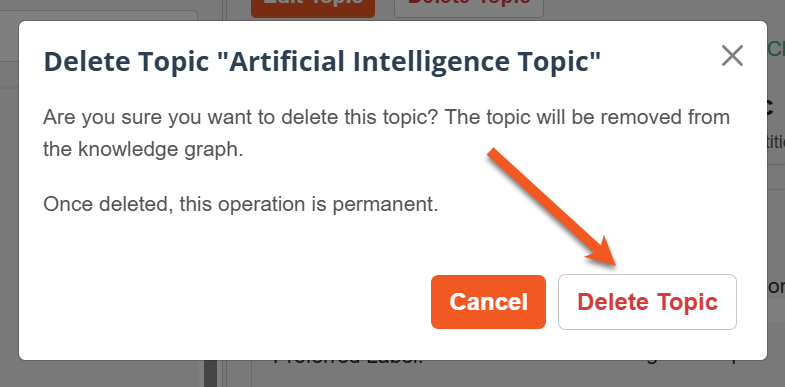
Note: Deleting a topic does not delete the entities themselves—it only removes the topical grouping.
Was this article helpful?
That’s Great!
Thank you for your feedback
Sorry! We couldn't be helpful
Thank you for your feedback
Feedback sent
We appreciate your effort and will try to fix the article